Analytics / Overview
(Administrators Only)
View various statistics.
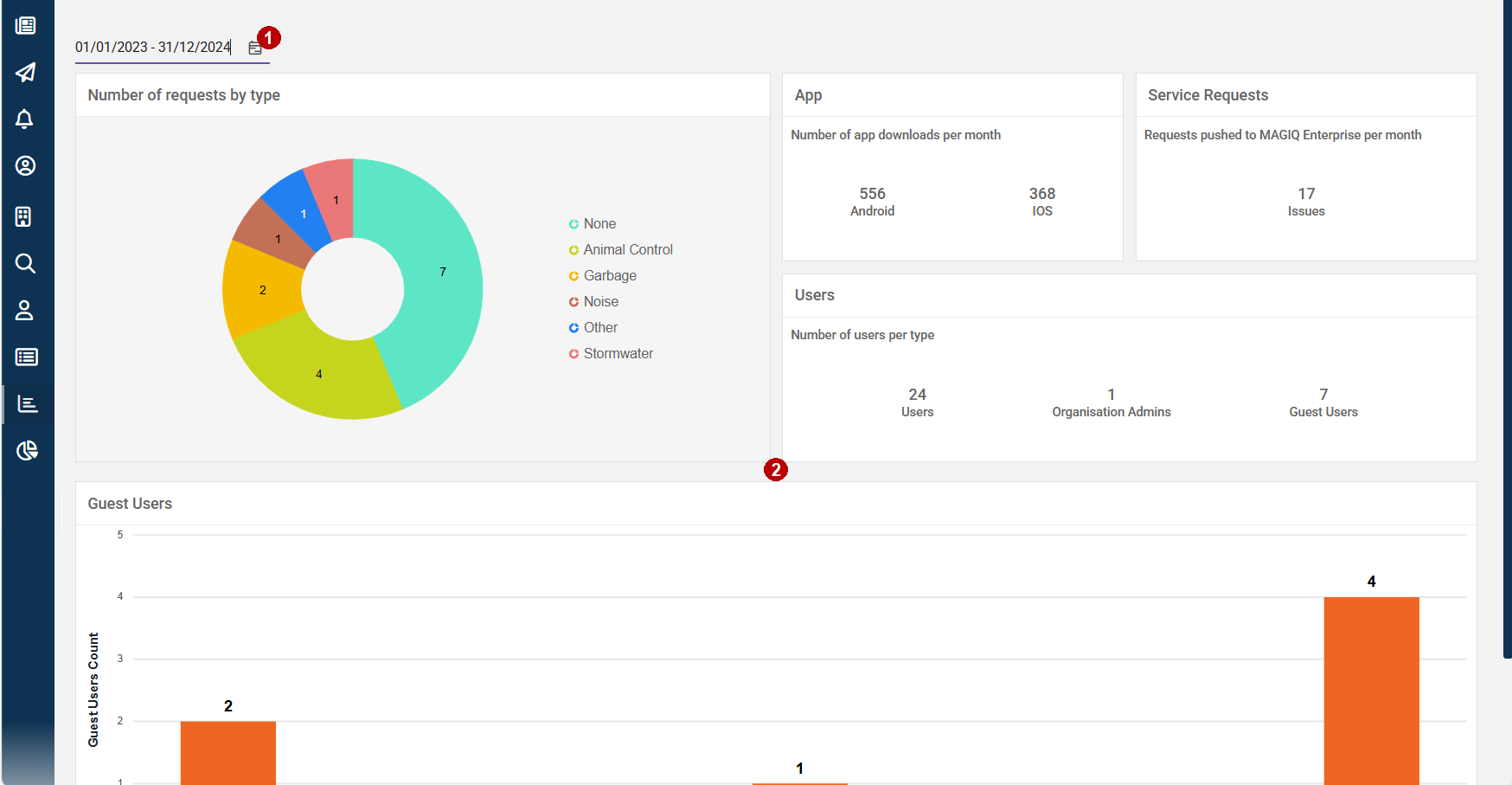
 Date Selection.
Select a date range to determine the results.
 Analytical Results.
Number of Issues by Type - Displays data within the selected date range, filtered by incident types (used when Enterprise Integration is not configured) that were chosen at the time a connect/issue was saved.
App - Displays the number of Andorid and iOS downloads.
Service Requests - Displays data within the selected date range, when a connect/issue has been created and sent through to MAGIQ Service Requests.
Users - Number of users per role.
Guest Users - Displays the number of guest accounts grouped by how recently (number of days) since their created date time.
Each range includes users created within that timedate window relative to the current date. For example, "6–10 days" range includes users who were created between 6 and 10 days ago.
Click the column on the chart to list the guests.