News / Create
News articles can be created either manually, or automatically using an RSS feed.
Manually create a news article
-
Click New News Item
The below screen will appear:
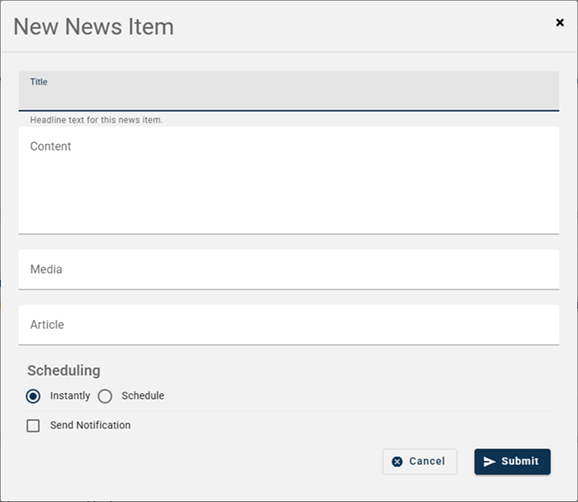
Title – Enter a title of the News Item.
Content – Enter a brief description of the news item.
Media – Paste the copied link of the image from the website.
Article – Paste the copied URL from the website.
Scheduling – Choose either ‘instantly’ or ‘schedule’ as to when you want the news article published.
Send Notification – Tick if you want to send a notification advising of the article.
-
Click Submit
Automatically create news articles
- Add your RSS feed link into the Organization details.