Organization / Search Online-Assessor Search
(Administrators Only)
Configure either Search Online or Assessor Search.
Assessor Search
Integrates with CAMA (America only).
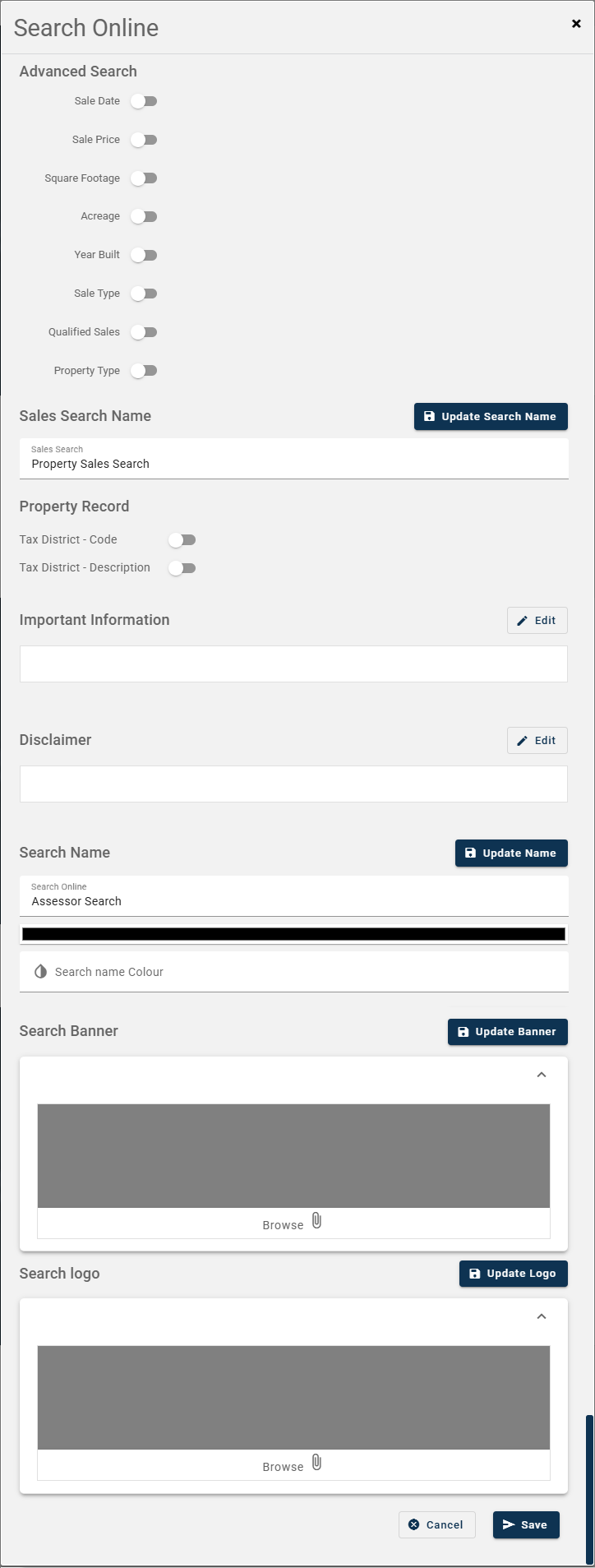
Advanced Search - Toggle on options that you would like to use under 'Sales Search'.
Sales Search Name - Enter the name that you would like to call 'Sales Search', for example Advanced Search or Property Tax Search.
Property Record - Toggle on to display the tax district code and or description.
Important Information - Enter text to display before the parcel search. This can help with important tips
Disclaimer - Enter a disclaimer. This information will display once every 24hrs or when the browser session expires. Citizen must click 'Agree' before continuing.
Search Name - Provide a name for the page banner/header, for example Tax Search. Select a font color, if your banner has a light background. Otherwise, it defaults to white.
Search Banner - Select an image to display as a header, this would be an image that would relate to your website.
Search Logo - Select your organization logo, this might need to be white depending on your banner.
Search Online
Australia and New Zealand Only. Under development.