Login / Overview
You will only be required to login the first time the application is run (unless you logout).
The website can be accessed via your browser on your phone/tablet. As an administrator, the website is used for notice creation and maintenance.
Login either as a guest or with your email address (Username) and password of your choosing.
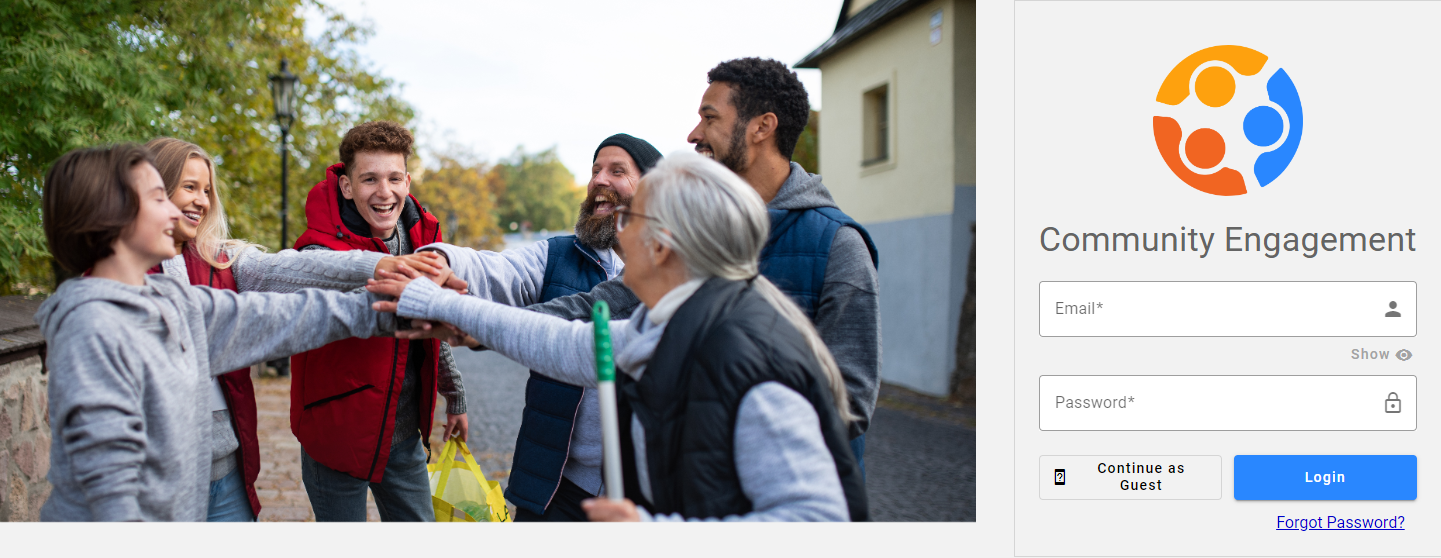
- Enter your username (email address) and password. Or,
-
Click Continue as guest.
Once a citizen has logged in, they will be presented with something like the below (depending on which page is loaded first for the organization):
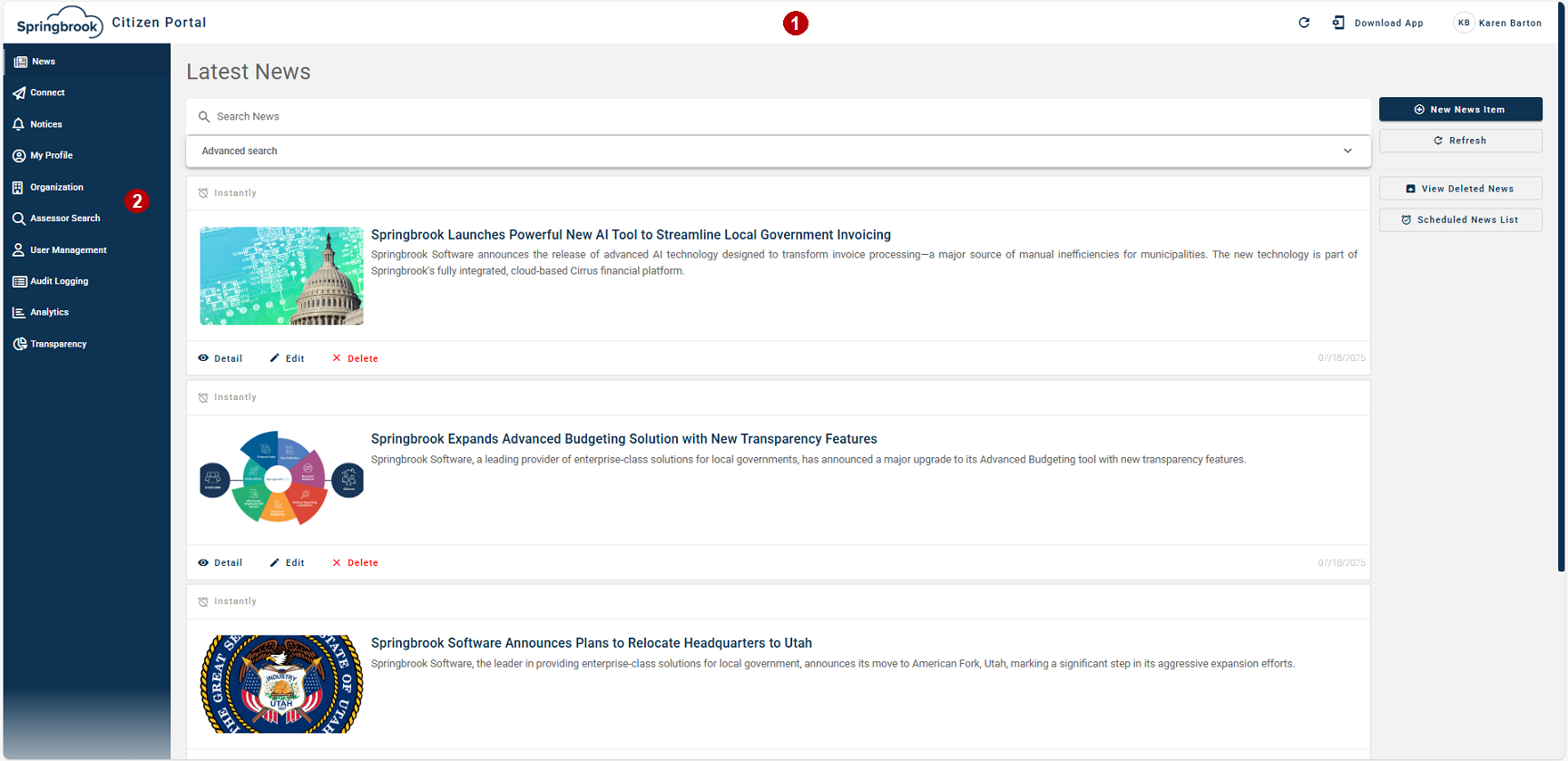
 Header.
Download App - Download the the Citizen Portal app from either the Apple or Google Play Store.
{Logged in users name} - Indicates who is logged in. Refer to My Profile for further information.
 Menu Items.
This panel minimizes when you are not accessing it.
The menu items are:
User Manager. For administrators only.
Audit Logging. For administrators only.
Analytics. For administrators only.