Notices / Overview
View or create a notice that the organization wants the community to be aware of. For example, rubbish collection, rates due, road closures or significant events etc.
The citizen must have "joined" the organization.
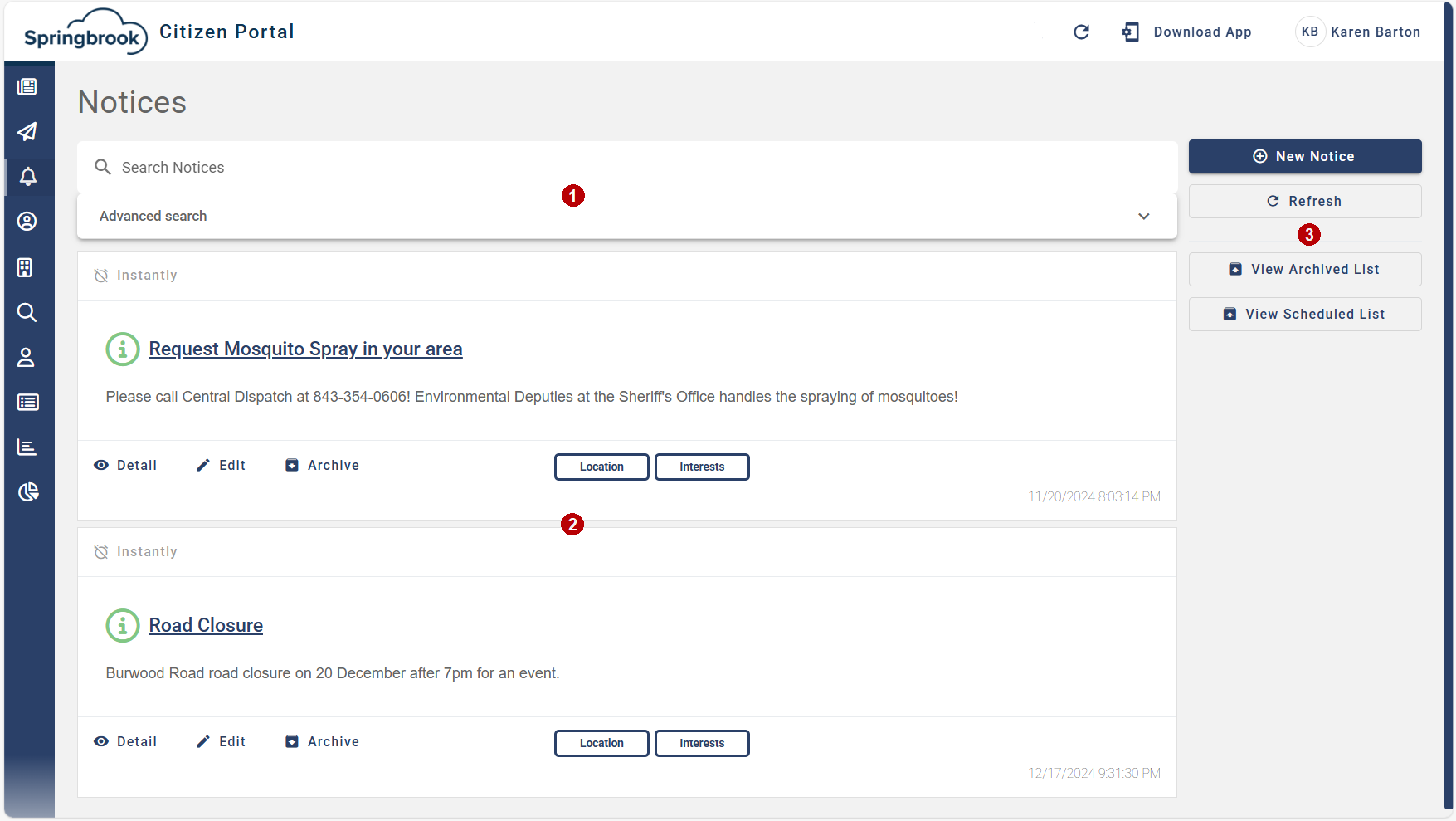
 Search.
Search for a notice content or use the advanced search to search by date or location (area).
 List of notices.
 Menu Buttons.
New Notice - Create a notice.
Refresh - Refresh the screen.
View Archived List - View the archived to reinstate them. Notices are not deleted, instead they are archived. This option is hidden if Enterprise Integration is licensed.
View Scheduled List - View items that are scheduled.