Connect / Create
Create/report an issue/request or provide feedback or praise to the organization.
To create a Connect
- Click Raise
The below screen will appear:
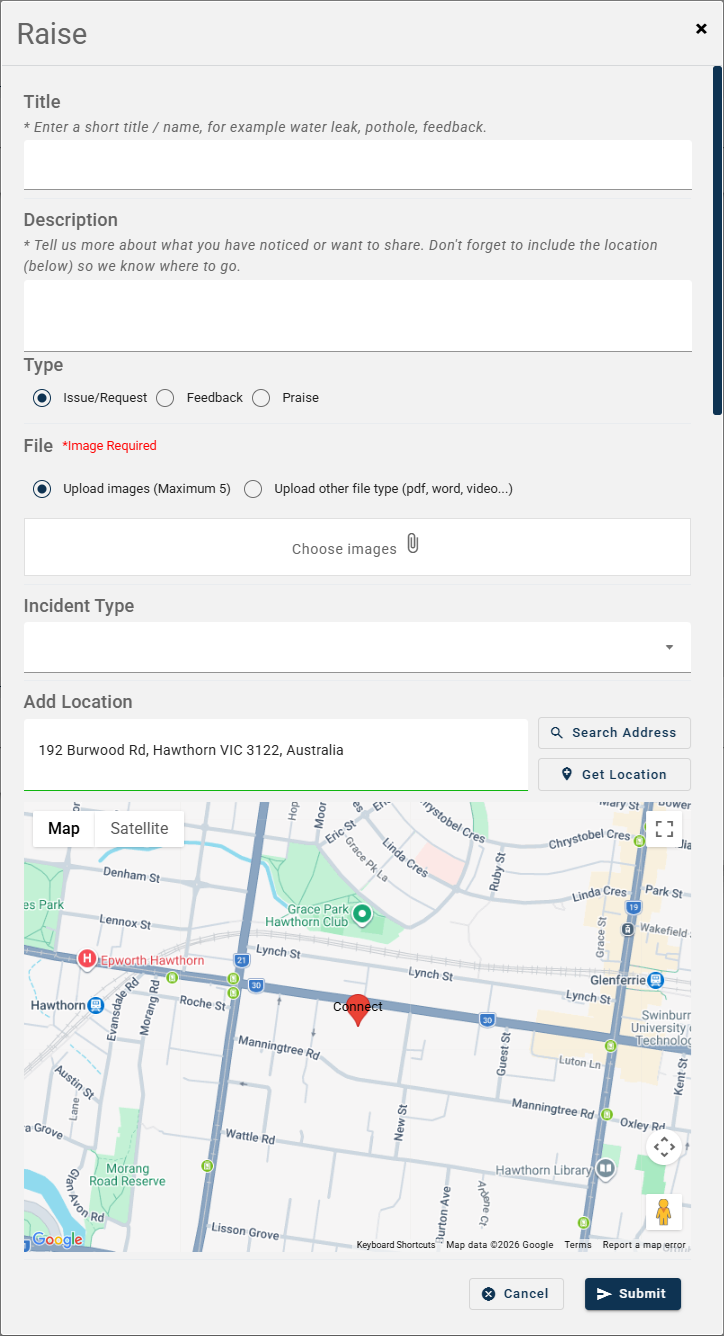
For any urgent issues please contact.... is custom information. This is entered within the Organization details.
Title - Enter a brief heading/title about the issue/request, feedback or praise.
Description – Description of the issue/request, feedback or praise.
Type – Choose either ‘Issue/Request’, ‘Feedback’ or ‘Praise’. This will only display if no Service Request integration settings are applied.
File – Take a photo of the issue/request or select a photo/file to upload.
Incident Type – Select what the connect relates to. This will only display if no Service Request integration settings are applied.
Add Location – This will provide a google map location.
- Click Submit